
- Google Play internal testing only: version 2.2.2, code 37, available to eligible enrolled testers. Public release and sales remain closed.
- Current notification history, summaries, filtering, voice controls, and call-time speech deferral.
- Location hardware is optional, preserving compatibility with previously supported devices.
- Updates are delivered through Google Play; this phone app has no Android Auto integration.
Ingenious app · Version 2.2.2 · Internal testing
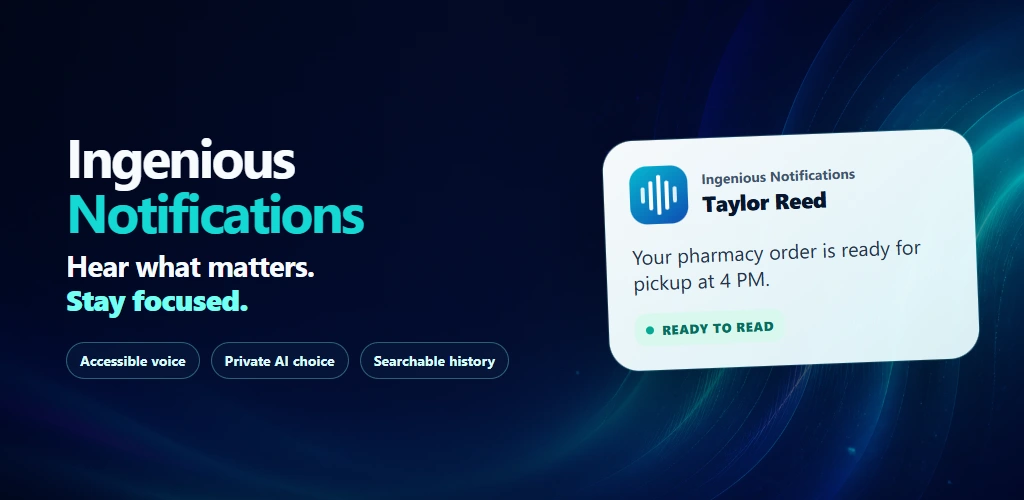
Ingenious Notifications
Hear what matters. Skip what does not.
Now fully compatible with Grokbot, creating verbal notifications from any active Grokbot. Hear selected Android alerts aloud, summarize long messages, and review searchable history with filters you control.
AndroidCloud Preview
See it in 15 seconds
Stay informed. Stay in your flow.
Hear the messages that matter while you keep working. Press Play to hear Ingenious Notifications in action.
15 seconds · HD 720p
Read the video transcript
A businessperson works at a computer with a smartphone on the desk. Ingenious Notifications announces:
“Text Message from Acme Partners. We can meet at 3pm today if you have time, let us know as soon as possible.”
They write the meeting in an appointment book, smile at the phone, and return to work. The phone announces:
“Shipment of parts from Amazon has been delivered.”
They smile and nod while continuing to work. On-screen text: “Ingenious Notifications saves you time and money every day. You define notifications that matter and skip ones that don't.” Light music plays beneath the spoken notifications.
Demonstration notifications are fictional. Your filters control spoken readouts without removing the original Android alerts.
Who it is for
Adults who want fewer screen checks while working with their hands or staying focused, including blind and low-vision people and people with limited dexterity.
Product terms & updates
Update policy
Google Play delivers updates for Play installations; the app does not download or install updates itself.
From input to outcome
A clearer path through the work.
Stay informed while your hands and attention are on other work: hear readable SMS/RCS, supported incoming calls, email alerts, and selected app notifications.
Get the key information sooner with concise summaries, so you can decide what needs attention and respond faster.
Silence unwanted readouts with app choices, keyword and sender rules, and category filters. Original Android alerts remain available.
Search captured notifications, replay readouts, and keep Important items for later review.
Activate Ingenious Notifications while paid Premium is active to register it permanently, with all chosen apps, unlimited Local AI summaries and 90-day history.
Ingenious Premium adds managed online AI and Premium filtering while your paid membership is active. After Premium ends, your registered app uses Local AI. Free has no cloud AI credits.
Notification speech pauses during phone calls and resumes after the call ends.
Now fully compatible with Grokbot: creates verbal notifications from any active Grokbot.
Adjust voice settings, save action items, open support, review a locally redacted bug report, or suggest a feature from Settings.
Ingenious Premium reference prices are USD 9/month or USD 72/year. Launch prices are USD 5/month or USD 50/year through December 15, 2026 at 11:59 p.m. Eastern; new subscriptions use standard prices from December 16, 2026. Standard annual saves USD 36; launch annual saves USD 10 versus twelve corresponding monthly payments. Applicable taxes and store-localized totals are disclosed before purchase.
Every plan includes one shared allowance of 200 actions each month across explicitly included apps. Annual payment does not grant 2,400 upfront. Unused monthly actions expire. Existing task action costs remain unchanged. Annual and gift members receive priority support and optional eligible previews while active, with no guaranteed release dates or response times.
Trust and control
Designed around practical results.
- Version 2.2.2 (code 37) is available to enrolled Google Play internal testers. Public release and sales are not yet open.
- The Google Play edition uses notification access after disclosure and consent; it does not request SMS, Call Log, phone-state, or app-install permissions.
- Safety checks fall back to the original notification when a summary fails validation. AI can make mistakes; review important details in the original.
- Local summarization stays on the phone after model download. Online AI processes selected text only after you choose and consent to the provider.
- Updates come through Google Play. This phone app does not integrate with Android Auto.
See it in action
Current 2.2.2 app screens with fictional demonstration notifications. Select a screenshot to enlarge it.
Product updates
Version history
- Google Play and direct distribution variants
- Notification-based message and call announcements
- 30-day card-free installation trial
- Offline, bring-your-own-OpenRouter, and Managed AI choices
Product work
Features and bugs getting attention
Updates are being prepared.
Public planned and in-progress work will appear here.
What you need to run it
- Android 8.0 or newer
- Notification access after disclosure and consent
- Optional Contacts permission for contact names and filters
- A compatible downloaded model and sufficient device resources for offline summaries
- Internet and provider consent for online AI; an OpenRouter key for BYOK mode
- Eligible Google account and an accepted invitation for the current internal test
Questions, answered
What happens when Premium ends?
Eligible apps activated during paid Premium keep their registered local features. Monthly actions and features requiring active Premium stop when paid access ends.
How much time do summaries save?
A concise readout relays the key information sooner and reduces repeated screen checks. The app estimates listening time saved from the original and delivered summary lengths at your speech speed. It is an estimate, not a measured productivity guarantee.
When will it be available?
The app is being prepared for testing. Public availability and sales remain closed. Join the launch list for availability news.
Does it read every message or remove Android alerts?
It reads only notification content Android makes available and your settings permit. Filters control this app's readouts; they do not delete or block alerts in other apps. Android may redact protected verification codes or withhold work-profile content.
Will it speak over my phone calls?
Notification speech is delayed during phone calls and resumes after the call ends. The app has no Android Auto integration.
Does it need SMS, Call Log, or Contacts access?
The Google Play edition does not request SMS, Call Log, or phone-state access. Notification access requires disclosure and consent. Contacts access is optional for contact names and contact-based filtering, and matching stays on the phone.
Can AI change the meaning of a message?
Summaries are designed to preserve meaning, with checks that fall back to the original notification when validation fails. These checks do not guarantee perfect accuracy. Review the original for important details.
Does anything leave my phone?
Local summarization keeps notification text on the phone. Ingenious Premium sends selected text for cloud processing only with your consent and active paid Premium. Accepted requests use your Premium allowance. Contacts are not sent to AI. Account linking, purchases, support and optional connected services use network connections separately.
How long is notification history kept?
Free searches the last 7 days. The permanently registered version searches 90 days, including after Premium ends. Captured content is retained locally for 90 days; Important items remain while marked. Current screenshots show fictional alerts from version 2.2.2.
Does the app track location?
An optional assigned organizational sales route shares location only after you open that route and tap Start. Only the latest active-route point is retained, and tracking stops when you stop, complete, or cancel the route.
How are app updates delivered?
Google Play delivers updates for Play installations. The app does not download or install its own updates. Keep the eligible tester account signed in to receive internal-test releases.
Is Ingenious Notifications compatible with Grokbot?
Yes. Ingenious Notifications is now fully compatible with Grokbot and creates verbal notifications from any active Grokbot, so you can hear its alerts aloud.
Which apps are included in my Premium membership?
Subscribe once and use your monthly Ingenious Premium actions across eligible Ingenious apps. Install and sign in while your paid membership is active to register each eligible app permanently. If your membership ends, those apps stay registered; your monthly actions and features requiring active Premium stop. Ingenious Search is available now. Ingenious Notifications and Ingenious Voice are coming soon.
Follow the launch
Get an update when Ingenious Notifications reaches its next milestone.
Occasional product updates and launch news. No purchase is being offered yet.